Fix PCs Parts Tier List
Rank components by repair payout speed and custom-build value across shop stages.
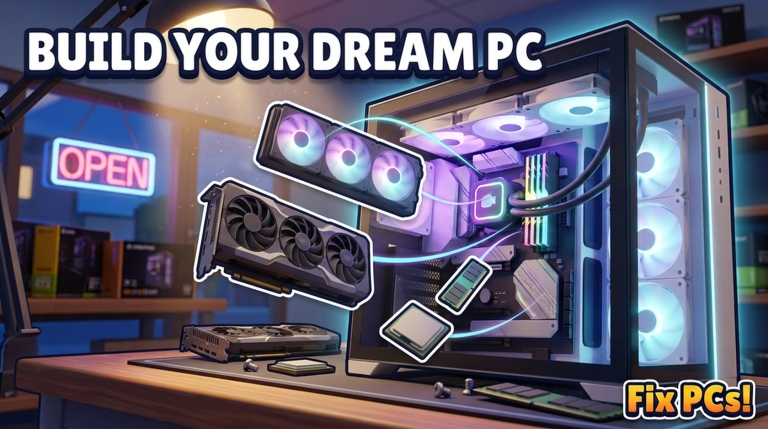
This Tier List Hub ranks the hardware that keeps Fix PCs! profitable. The game ships roughly 192 parts — graphics cards, CPUs, motherboards, RAM, liquid coolers, fans, and cases — and you use them two ways: (1) swap failed components on customer machines, and (2) assemble custom PCs, dual-GPU workstations, and server racks to order. A part that is S-tier for emergency repairs is not always S-tier for showcase builds, so every ranking below separates repair value from build value.
Deep category pages:
- GPU, CPU, Motherboard & RAM Tiers — compute and board choices for jobs versus custom rigs.
- Cooling & Cases Tiers — thermals, fans, aesthetics, and contract display machines.
- Practical assembly tips live in Build Custom PCs and the hands-on How to Repair flow.
Ranking philosophy
Tiers on this wiki are shop-economy rankings, not real-world Silicon Valley benchmarks. We score parts on:
- Availability — Can you stock it from early orders, or is it late-floor unlock only?
- Job frequency — How often customers fail this component?
- Margin — Repair payout versus part cost and bench time (screws, cables, reseating).
- Benchmark impact — Does installing it help the PC pass power-on and stress tests?
- Build demand — Do contracts and custom orders ask for it (dual-GPU, rack, painted case)?
- Flexibility — Works across multiple motherboard generations versus niche only.
Letter grades run S / A / B / C / D. S means stock it whenever cash allows; D means situational or vanity-only until your shop is stable.
Early shop (first floors, learning the loop)
Early Fix PCs sessions are about surviving the queue: diagnose → workbench → swap → screw → cable → power on → benchmark → pay. Prefer common, cheap, high-failure parts over trophy GPUs.
| Category | Early priority | Why |
|---|---|---|
| RAM | S–A | Fast swaps, frequent faults, low risk |
| Fans / dust service | S | Blowouts and fan swaps clear jobs without rare stock |
| Budget CPU | A | Many boot failures trace to CPU or cooler seating |
| Entry GPU | B | Needed, but pricier; confirm GPU fault first |
| Motherboard | B | High payout, longer install; keep one spare |
| Fancy case / paint | C–D | Great for shopfront later; weak early ROI |
Dust blowouts, virus cleans, and bent CPU-pin straightening often beat full part purchases. Stock cables and screws mentally even when they are not “tiered SKUs” — missing fasteners fail benchmarks just like dead silicon.
Mid shop (staff, contracts, custom orders)
Once you hire staff, take contracts, and expand floors, margins shift. Customers expect faster turnaround; contracts may specify dual-GPU or rack builds. Mid-game priorities:
- GPUs climb — Workstations and gaming repairs need reliable graphics stock. See GPU & CPU tiers.
- Motherboards matter more — Custom builds fail if the board lacks slots for the ordered RAM/GPU layout.
- Cooling becomes visible — Liquid coolers and tidy fan setups help thermals and shop display. Details on Cooling & Cases.
- Cases split roles — Repair loaner cases stay plain; contract showpieces get paint and glass.
Keep a two-bin mindset: Job Bin (fast movers for walk-ins) and Build Bin (spec parts for orders). Mixing them causes stockouts during rush hours on six-player servers.
Late shop (racks, dual-GPU, street reputation)
Late progression leans into server racks, dual-GPU workstations, decorated shopfronts with 3D names, and weather rolling over the street while you work. Tier weight flips toward:
- High-end GPUs and multi-GPU capable boards
- Dense RAM kits for workstation orders
- Liquid cooling loops that look premium in screenshots and pass long benchmarks
- Cases that match contract aesthetics without killing airflow
Vanity still should not empty the Job Bin. A painted case that sits on the shelf while three walk-in GPU failures wait is a net loss.
Category snapshot
GPU — repair vs build
- Repair value: High when diagnostics point to no display or artifacting; confirm power cables and seating first.
- Build value: Critical for gaming/custom and dual-GPU contracts; mid/high cards define quote price.
CPU — repair vs build
- Repair value: Excellent — bent pins, dead CPUs, and cooler mistakes are teachable, high-frequency fixes.
- Build value: Strong for workstation/server quotes; pair with compatible motherboards.
Motherboard
- Repair value: Medium-high payout, longer bench time.
- Build value: Foundation of every custom PC and rack node — wrong board blocks the entire order.
RAM
- Repair value: Top-tier early; quick install, common failure.
- Build value: Scales with capacity kits for servers and creator PCs.
Coolers & fans
- Repair value: Fans and repastes clear thermal shutdowns cheaply.
- Build value: Liquid coolers sell the “pro shop” look for contracts. Full ranking on Cooling & Cases.
Cases
- Repair value: Lower day-to-day unless the chassis is damaged.
- Build value: High for shopfront demos, repaints, and themed contract deliveries.
How to use these lists in a real session
- Diagnose before you open the expensive parts drawer.
- Match the fix to shop stage — early shops should not gold-plate every laptop-equivalent tower.
- Cross-check compatibility (CPU ↔ board ↔ RAM ↔ cooler clearance ↔ case).
- After power-on, always run the benchmark; unpaid “looks fine” machines waste parts.
- Revisit tiers after patches — balance changes land on the Updates Hub.
For player etiquette while sharing a six-person server, see the Players Hub. For a full site map, open the Wiki overview.
Tier lists here will evolve with DEVTEC STUDIOS patches. When part pools or contract rules change, category pages update first, then this hub summary.
Frequently Asked Questions
Quick answers to the most common questions.
Is this a PvP combat tier list?
No. Fix PCs tiers rank PC parts for repair payouts and custom-build contracts inside the shop sim — not fighters or weapons.
Should I buy the best GPU first?
Usually not. Early shops earn more from RAM, fans, dust service, and correct diagnosis. Expensive GPUs matter more in mid/late custom and dual-GPU orders.
Where are detailed GPU and CPU rankings?
Open the GPU, CPU, Motherboard & RAM tier page linked from this hub for deeper repair-versus-build notes.
Do coolers and cases get their own list?
Yes. Cooling & Cases covers liquid coolers, fans, thermals, paint, and display value for contracts and the shopfront.
How often will these tiers change?
After major Fix PCs patches that add parts, retune prices, or change contract requirements. Check the Updates Hub when rankings shift.