Fix PCs Guides & Walkthroughs
From empty unit to full street shop—every tutorial in one place.
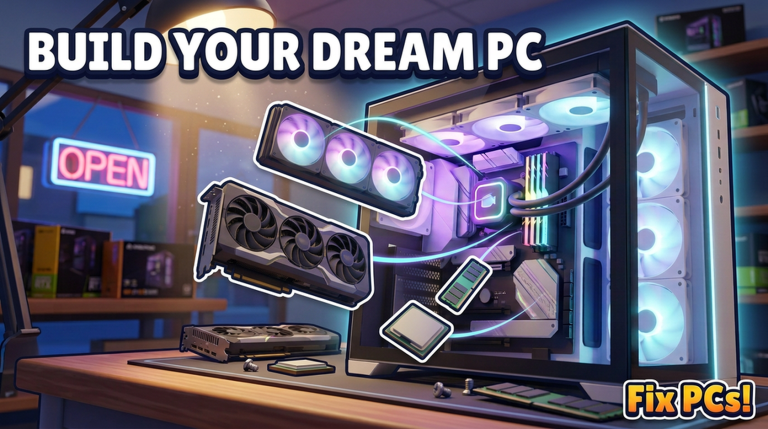
Welcome to the Fix PCs guides hub. This Roblox PC repair shop sim by DEVTEC STUDIOS drops you into an empty unit and asks you to turn it into the best workshop on the street. Customers bring broken machines; you diagnose, open cases on the workbench, swap dead parts, drive screws, plug cables, power on, run a benchmark, and get paid. Along the way you order from a catalog of 192 parts, build custom PCs, dual-GPU workstations, and server racks, decorate the shopfront, hire staff, open new floors, and take contracts while weather rolls past outside.
Use this page as your map. Each guide below is written for a real player intent—first hour, repair depth, custom builds, money, ordering, expansion, shopfront, or controls—so you can jump straight to the loop that is blocking you.
Start here if you just joined
New to the place? Open the Getting Started guide first. It covers joining the experience, reading your empty unit, greeting the first customer, completing one clean repair cycle, claiming daily habits, and spotting the next unlocks without burning cash on the wrong shelf.
Pair that with Controls so workbench click-drag, tools, inventory, and order panels feel natural on PC or mobile before a queue builds up.
Core gameplay guides
- How to Repair PCs — Diagnose symptoms, unscrew cases, clear dust, apply thermal paste, swap RAM/GPU/CPU, reseat cables, fix bent pins, clean viruses, and recover from failed benchmarks.
- Build Custom PCs — Order parts, unpack deliveries, assemble custom builds, dual-GPU setups, and server racks for contracts and display, with a compatibility mindset and profit tips.
- Hire Staff & Expand — Hire help, open floors, accept contracts, pace expansion against cash, and unlock capacity before cosmetics.
- Make Money Fast — Early cash, repair throughput, contracts vs walk-ins, tier-list stock discipline, codes as boosts, vanity traps, and staff ROI timing.
- Order Parts & Deliveries — Use the 192-part catalog, decide when to order, unpack deliveries yourself, stock Job Bin staples vs luxury GPUs, and plan dual-GPU or rack carts.
- Decorate Shopfront & 3D Name — Shopfront upgrades, 3D name over the door, interior décor vs throughput, weather flavor, and when cosmetics pay off after cash flow is stable.
- Controls — Workbench interactions, UI panels, inventory and orders, plus accessibility tips for PC and mobile.
Related hubs outside Guides
When you need freebies, rankings, or checklists, leave this hub and use:
- Codes — Promo codes and redemption steps when DEVTEC drops gifts.
- Tier List — Part and build rankings so you invest in strong SKUs first.
- Tools — Practical helpers such as the repair checklist for bench-side verification.
How to use these guides together
A healthy early session looks like this: claim anything free on Codes, skim Controls, finish Getting Started, then run two or three jobs with How to Repair open beside you. Once cash is stable, use Make Money Fast and the Tier List before you stock expensive GPUs, practice clean carts in Order Parts & Deliveries, then branch into Build Custom PCs for contract orders and Hire Staff & Expand when the counter is busier than you can solo. Save Decorate Shopfront & 3D Name for after the till and Job Bin feel boringly healthy.
Keep returns short. Re-read only the section that failed—dust pass, pin straighten, cable map, unpack mistake, or benchmark retry—instead of restarting the whole article. Cross-links inside each guide point to sibling pages so you never get stuck in a dead end.
What good shop play looks like
Speed matters, but accuracy pays more. A machine that fails its benchmark after a rushed GPU swap costs you another trip to the parts shelf and a waiting customer. Dust, paste, and cable seating are not fluff—they are why some jobs look “fixed” until power-on. Custom builds and racks are where margin lives once walk-in repairs feel easy. Staff and floors multiply throughput; decoration and a 3D shop name sell the fantasy that customers trust your street unit—after staples and wages are covered.
Bookmark this hub, then dig into the leaf guides. When updates change part counts, contracts, or UI labels, we refresh these pages so your next shift still matches the live game.
Frequently Asked Questions
Quick answers to the most common questions.
Which Fix PCs guide should I read first?
Start with Getting Started for the first customer and repair loop, then Controls if the workbench feels awkward, then How to Repair for deeper fault types.
Do these guides cover custom builds and server racks?
Yes. Build Custom PCs walks through ordering parts, unpacking, dual-GPU workstations, server racks, compatibility, and profit tips tied to contracts. Order Parts & Deliveries goes deeper on the catalog and receiving loop.
Where do I find money tips, codes, and part rankings?
Make Money Fast covers throughput and spend discipline. Use the Codes hub for promo gifts and the Tier List hub for which parts to stock. Tools hosts checklists like the repair checklist.
When should I decorate the shopfront or set a 3D name?
After cash flow and staples are stable. Decorate Shopfront & 3D Name explains facade upgrades, interior props versus throughput, and weather as flavor—not day-one vanity spend.
Is Fix PCs single-player only?
Servers hold a small group (about six players). You still run your own shop loop—repairs, orders, staff, and floors—while sharing the experience instance.
How often should I revisit this hub?
Whenever you unlock hiring, contracts, custom builds, ordering depth, or shopfront work, or after a major update changes parts, UI, or shop systems. Jump to the matching leaf guide instead of rereading everything.