Fix PCs Decorate Shopfront & Set Your 3D Name
Turn an empty unit into a street brand—after cash flow and benches already work.
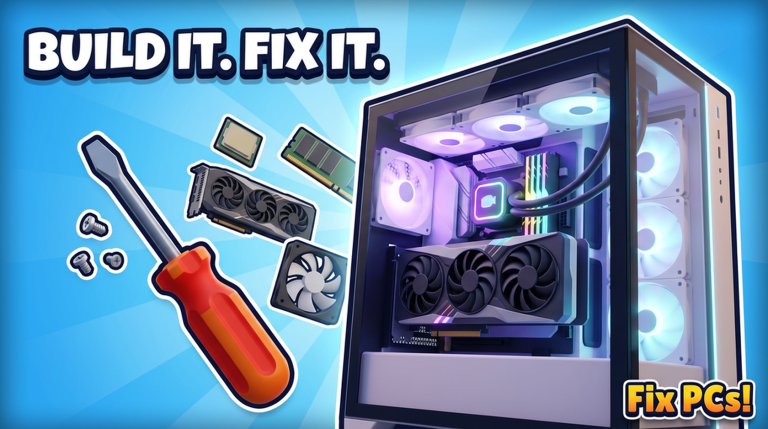
Fix PCs is a repair sim first and a storefront fantasy second—but the fantasy matters. DEVTEC STUDIOS lets you upgrade the shopfront, hang a 3D name over the door, dress the interior, and work while weather rolls down the street. Done right, décor sells pride and readability. Done early, it bankrupts the Job Bin. This guide covers shopfront upgrades, naming, interior props versus throughput, weather as flavor, and when cosmetics actually pay off. Pace every spend with Hire Staff & Expand and Make Money Fast so the facade never eats tomorrow’s RAM.
What shopfront systems are for
Decoration is not a hidden DPS stat. It is:
- Identity — Your unit stops looking like every other empty shell on the block.
- Wayfinding — A clear facade and readable interior help you (and anyone sharing the size-6 server fantasy) find the counter and benches fast.
- Motivation — A named door makes grinding dust jobs feel like running a brand.
- Screenshot energy — Dual-GPU heroes and tidy racks look better in a finished bay.
It is not a substitute for passing benchmarks, unpacking deliveries, or stocking staples from the ~192-part catalog. Customers still pay for fixed PCs.
When cosmetics should wait
Delay major décor if any of these are true:
- You still fumble the basic repair loop (Getting Started, How to Repair).
- Staple parts are empty while a luxury paint pack sits in the cart.
- Deliveries pile in the doorway because receiving space was sacrificed for props (Order Parts & Deliveries).
- You cannot afford wages or a needed contract kit after the facade purchase.
Cosmetic debt feels cosmetic until the next GPU swap fails for lack of stock. Stabilize throughput first.
Shopfront upgrades: read from the street
Upgrade the exterior when the interior path already works. Goals for a good shopfront:
- Readable entrance — Door and counter should be obvious at a glance.
- Brand color — Pick a palette that still shows screw and cable prompts inside; neon chaos that hides UI is a tax on speed.
- Sight line to a hero build — If you own a display dual-GPU or clean custom, park it where the street window (or open door view) sells competence.
- No prop spam on the threshold — Boxes and chairs in the entry murder carry paths during rush hour.
Think like a real street unit: attraction without obstacle courses.
The 3D name over the door
Putting your name in 3D over the door is one of the signature payoffs in Fix PCs. Treat it like signing a lease sign:
- Confirm spelling and short length so it stays legible from the street.
- Set it when you intend to keep the name—typos on a facade are embarrassing until you pay to fix them.
- Match the name vibe to your shop fantasy (clean tech lab vs cozy neighborhood fixer).
- Do not buy the name while the till cannot restock fans; pride spends forever, RAM spends daily.
The 3D name is a milestone gift to yourself after the business loop works—not a day-one checklist item.
Interior décor vs throughput
Interior props compete with the only resources that print money: floor space, carry paths, and bench clarity.
Protect these zones:
- Door → counter → primary bench
- Receiving / unpack strip for deliveries
- Cable and screw access around open chassis
- Rack or dual-GPU bay if you take those contracts (Build Custom PCs)
Decorate in layers:
- Circulation first — Empty junk that blocks hands.
- Lighting second — Keep prompts readable on dark weather days.
- Brand third — Posters, shelves, mood pieces along walls—not on the work mat.
- Flex fourth — Showroom pedestal for one hero machine funded from profit.
If a prop looks great but adds ten seconds to every case carry, it is a throughput tax. Remove it. Speed on clean repairs still funds prettier rooms later.
Floors and décor planning
New floors from Hire Staff & Expand are easy to mis-spend as empty galleries. Assign each level a job before you wallpaper it:
- Ground: counter, fast walk-in bench, visible shopfront energy.
- Upper or back: receiving, rack nodes, quiet custom assembly.
- Show strip: display only if pathing on working floors is already clean.
Decorating a useless floor while the ground unit is cluttered is how shops look rich and play poor.
Weather as flavor (not a mechanic to “beat”)
Weather drifting over the street is atmosphere. You do not out-repair a raincloud. You adapt readability:
- Keep bench lighting strong when the mood outside darkens.
- Avoid tiny dark props that disappear into stormy ambience and become trip hazards.
- Lean into cozy or crisp lighting as part of brand—without hiding tool highlights.
Weather makes shifts feel alive; inventory and QC still decide whether the shift paid.
When cosmetics pay off
Cosmetics “pay off” when they reinforce a shop that already earns:
- You have a cash buffer covering staples and optional wages.
- Walk-in and contract QC are consistent (repair checklist).
- Staff or personal bandwidth covers the counter during longer builds.
- You want attraction, pride, and clearer brand—not a distraction from a broken loop.
At that point, facade + 3D name + restrained interior + one hero display become the victory lap. They make Make Money Fast sessions more fun without undoing them.
A safe décor spend order
- Clear pathing and bench zones.
- Restock Job Bin staples (Order Parts & Deliveries, Tier List).
- Bank a buffer.
- Unlock staff or a purposeful floor if capacity is the real bottleneck.
- Buy shopfront upgrades and set the 3D name.
- Layer interior décor; keep sacred clear zones.
- Place one profit-funded display build where the street can see it.
Skip steps 1–4 and décor becomes an expensive screensaver.
Anti-patterns
- Naming the door while a half-dusted tower sits unpaid on the bench.
- Filling the entry with crates from unopened deliveries.
- Matching every wall with props until dual-GPU installs have no swing room.
- Funding neon from the emergency GPU budget.
- Building three styled floors with one working screwdriver station.
Related guides
- Hire Staff & Expand — Floors, payroll, contracts, expansion pacing.
- Make Money Fast — When vanity spend is a trap.
- Build Custom PCs — Display heroes worth showing off.
- Order Parts & Deliveries — Keep receiving clear of décor clutter.
- Controls — Move props and cameras without fighting the UI.
- Guides Hub — Full tutorial map.
Decorate on purpose. Put your name over the door when the shop behind it already works—and let weather, lights, and a single hero rig sell the story while the benchmarks keep paying.
Frequently Asked Questions
Quick answers to the most common questions.
When should I decorate the Fix PCs shopfront?
After pathing, staples, and a cash buffer are stable. Facade and 3D name are pride purchases—fund them from surplus, not from empty Job Bins.
What does the 3D name do?
It puts your shop name over the door as a brand milestone. Spell it carefully and buy it when you intend to keep the identity.
Can décor hurt my repair speed?
Yes. Props that block door-to-bench paths, receiving zones, or bench clearance add seconds to every job and lower throughput.
Does weather change how I should decorate?
Weather is mainly atmosphere. Keep lighting and contrast strong so prompts stay readable on darker street moods.
Should I decorate before hiring staff?
Usually no. Hire or add floors when capacity is the bottleneck; decorate after the business loop funds cosmetics safely.
Where should I put a display dual-GPU build?
On a sight line from the entrance or shopfront after working benches and unpack zones are already clear—and only if profit paid for it.