Fix PCs Players Hub
Find official links, join the right group spaces, and play nicely on six-player shop servers.
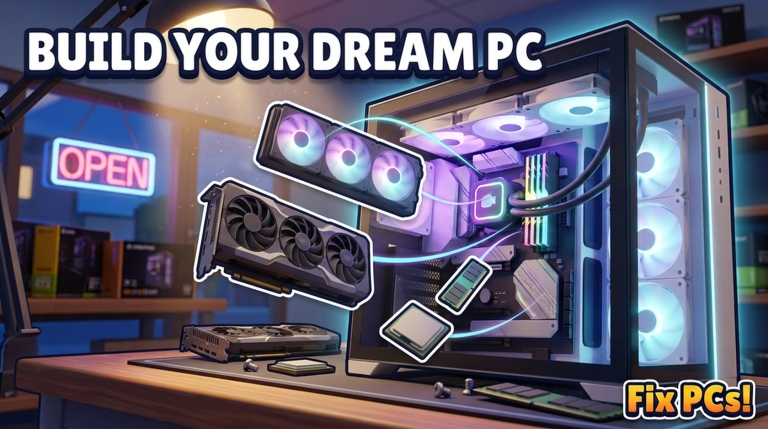
The Players Hub is your community map for Fix PCs! — the Roblox PC repair shop sim from DEVTEC STUDIOS. Use it to jump to the live experience, find the creator group, locate Discord the safe way, and learn co-op etiquette for server size 6. Pair social tips with gameplay pages like Getting Started, How to Repair, and the Tier List Hub so new friends actually know how to seat a GPU.
Official places to play and follow
Roblox experience
Play here: Fix PCs! on Roblox.
Quick facts for invites and Discord bios:
- Place: Fix PCs! (place id
100632832332148) - Universe:
10772400342 - Studio: DEVTEC STUDIOS
- Released: 22 October 2026
- Updated (tracked): 11 November 2026
- Genre: Simulation / tycoon PC repair shop
- Server size: 6 players
- Scale snapshot: on the order of ~323k visits and ~14k favorites (numbers move — check Roblox for live counts)
Favorite and like the experience if you want it to stay in your continue list and to support milestone events that sometimes ship with codes (see the Codes Hub).
DEVTEC STUDIOS group
Join the DEVTEC STUDIOS Roblox group from the game page’s creator/group links. Group membership is the most reliable way to see shouts, event posts, and sister-game news without relying on random fan accounts. When the studio posts codes or patch notes, group walls and related community spaces usually hear it early — then we mirror verified details on Updates and Codes.
How to find Discord safely
DEVTEC STUDIOS may link a Discord from the Roblox game description, group shout, or social buttons. Safe discovery rules:
- Start from the official Roblox game or group page — not a cold DM.
- Prefer invite links posted by the group or experience description.
- Never “verify” by entering your Roblox password on a Discord bot landing site.
- Mute or block users who promise free Robux, free scripts, or staff roles for a fee.
- Use announcement channels for patch news; treat random #ads channels as untrusted.
If you cannot find a Discord link, you can still play fully via Roblox. The wiki does not invent invite URLs.
What the community gathers around
Fix PCs conversations usually cluster into a few topics:
- Repair flexes — before/after benches, virus cleans, pin straightening saves
- Custom builds — dual-GPU workstations, painted cases, server racks
- Shop design — floor layouts, décor, 3D name shopfronts, weather screenshots
- Economy tips — which parts to stock (see GPU & CPU tiers and Cooling & Cases)
- Hiring & contracts — when to expand floors versus upgrade the bench
- Codes & updates — milestone hunts after visit spikes
Share screenshots, not account cookies. Teach diagnosis steps instead of dumping “just buy this script” — the Scripts Hub explains why that advice is dangerous.
Co-op notes for six-player servers
Servers hold six players. That is cozy enough for friends and crowded enough for chaos if everyone grabs the same workbench parts.
Good etiquette
- Call out which customer ticket you are taking if voice or chat is active.
- Return unused parts to labeled shelves when you can — mid-game bins matter.
- Do not dismantle another player’s half-finished custom build “for parts.”
- Leave painted contract cases alone unless the owner asks for help.
- Share dust blowouts and easy fan jobs with newer players; keep dual-GPU contracts for people who know clearance checks.
- If you hired staff NPCs, do not assume other humans are also your employees — communicate.
Practical co-op roles
On a full server, informal roles keep throughput high:
- Front — greets customers, starts diagnosis.
- Bench — performs swaps, screws, cables.
- Parts — orders/unpacks deliveries and restocks RAM/fans.
- Build — handles customs, racks, paint.
- Floor — décor, shopfront, guiding lost new players.
Solo players can still clear the loop alone; roles just reduce collisions when friends join.
Helping new techs without spoiling the fun
Point beginners to:
- Getting Started — first session goals
- How to Repair — diagnose before spending
- Repair Checklist — step list at the bench
- Wiki overview — full hub map
Avoid handing them a maxed dual-GPU quote on minute five. Teach dust, RAM, and cable seating first so they feel the craft loop DEVTEC STUDIOS designed.
Community safety
- Report harassment through Roblox’s tools; leave toxic servers.
- Do not trade accounts or share login QR codes.
- Be skeptical of “limited admin tools” or paid shop unlocks outside Roblox’s official purchase flows.
- Keep real-life personal data out of public chat.
Related wiki hubs
- Codes — honest promo tracking
- Scripts — risk disclaimer, no verified cheat list
- Tier List — parts priority
- Guides — walkthroughs
- Updates — launch and patch timeline
- Tools — practical player utilities
This Players Hub will grow with social links as the studio publishes them. Until then, the Roblox game page and DEVTEC STUDIOS group remain the source of truth — and six-player manners keep every shop floor livable.
Frequently Asked Questions
Quick answers to the most common questions.
What is the official Fix PCs Roblox link?
Open Fix PCs! at https://www.roblox.com/games/100632832332148/Fix-PCs. Universe id 10772400342 is associated with the experience.
Who develops Fix PCs?
DEVTEC STUDIOS. Join their Roblox group from the game’s creator/group links for shouts and related announcements.
How many players fit in one server?
Server size is 6. Coordinate benches and parts so multiple techs do not strip the same build.
Where is the official Discord?
Only trust invites posted on the official Roblox game description, group posts, or studio social buttons. This wiki does not invent Discord URLs.
Can friends help on repairs together?
Yes. Split front desk, bench work, parts runs, and custom builds. Communicate ticket ownership and never loot another player’s unfinished PC.
Where should new players start on the wiki?
Getting Started, then How to Repair and the Repair Checklist. Use the Tier List Hub once they are stocking parts on purpose.